
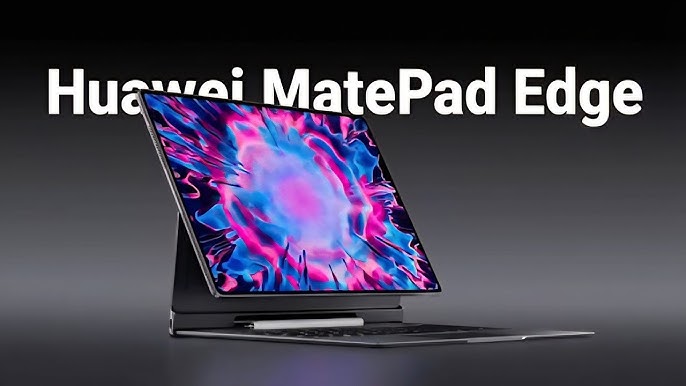
The Huawei MatePad Edge is setting a new benchmark in the premium tablet segment, combining cutting-edge technology, sleek design, and versatile performance.
For users demanding a device that blends portability with high functionality, the Huawei MatePad Edge is crafted to meet these expectations with precision, making it a truly standout device in Huawei’s lineup.
This article dissects every aspect of the Huawei MatePad Edge, providing detailed insights on its design, hardware, software features, and overall user experience.
Huawei MatePad Edge Design and Build Quality
The design philosophy behind the Huawei MatePad Edge centers around elegance and durability. Its ultra-thin, lightweight chassis makes the tablet exceptionally portable, weighing just under 500 grams and measuring less than 7mm in thickness.
The chassis is constructed using aerospace-grade aluminum alloy, which ensures both sturdiness and a premium feel to the touch. The tablet’s minimal bezels and curved edges create an immersive visual appeal, effectively enhancing both aesthetics and handling comfort.
Huawei has also incorporated a fingerprint-resistant matte finish on the back to reduce smudges, while the front is protected by a tempered glass screen with anti-reflective coating.
One of the stand-out design features is its near-borderless display, which allows a larger screen size in a compact frame, a design choice that professionals and creatives alike will appreciate for multitasking and media consumption.
Huawei MatePad Edge Display and Visual Experience
At the heart of the Huawei MatePad Edge is its vibrant display which pushes the limits of design and technology. This tablet features a 12.4-inch OLED panel that offers deep blacks and excellent color accuracy, covering 98% of the DCI-P3 color gamut.
The resolution of 2800 x 1800 pixels ensures razor-sharp details, making it an ideal choice for graphic designers, video editors, and media enthusiasts. The high refresh rate of 120Hz further elevates the user experience by providing smooth scrolling and responsiveness, especially noticeable during gaming or fast transitions.
Features of Huawei MatePad Edge Display
- OLED technology for vivid, true-to-life colors
- HDR10 support for enhanced dynamic range visuals
- Anti-fingerprint coating to maintain clarity
- Eye comfort mode to reduce blue light strain during prolonged use
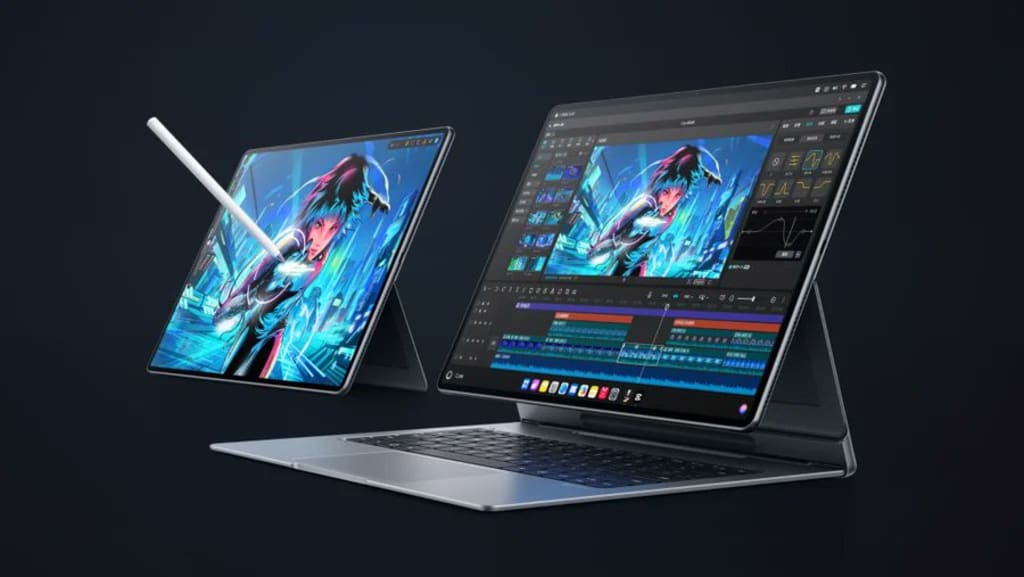
The tablet’s screen supports multi-touch and stylus input with low latency and high pressure sensitivity, which integrates perfectly with Huawei’s M-Pen stylus, allowing for precise drawing, note-taking, and annotations, beneficial for both professional and educational use.
Huawei MatePad Edge Performance and Hardware Specifications
Under the hood, the Huawei MatePad Edge is equipped with a Kirin 9000E chipset, designed for high efficiency and powerful computing.
The octa-core processor combined with ARM Mali-G78 GPU delivers smooth multitasking, robust graphics handling, and seamless app performance. This combination is especially effective for resource-heavy applications such as video editing and 3D modeling.
Memory and storage configurations vary, with options including 8GB RAM paired with 128GB or 256GB internal storage, expandable via Huawei’s proprietary Nano Memory card technology.
The battery capacity of 10,050mAh ensures extended usage, with optimized power management allowing up to 12 hours of continuous video playback or intensive productivity tasks.
Table: Huawei MatePad Edge Key Hardware Specifications
| Feature | Specification | Notes |
| Processor | Kirin 9000E Octa-core | 3x Cortex-A77 + 4x Cortex-A55 cores |
| RAM | 8GB | LPDDR4X |
| Storage | 128GB / 256GB | Expandable via Nano Memory |
| Display | 12.4-inch OLED, 2800×1800 | 120Hz refresh rate, HDR10 |
| Battery | 10,050mAh | Up to 12 hours video playback |
| Connectivity | Wi-Fi 6, Bluetooth 5.2 | Optional 5G model available |
| Operating System | HarmonyOS 4 | Huawei’s latest OS |
This hardware combination ensures the Huawei MatePad Edge stands out in performance benchmarks and real-world usage alike.
Huawei MatePad Edge Software and Ecosystem Integration
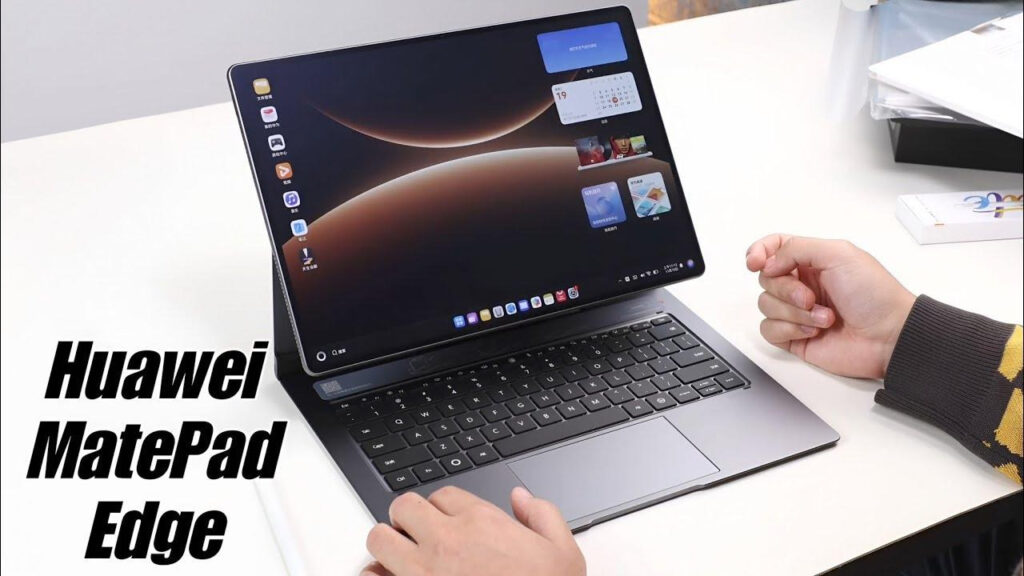
The Huawei MatePad Edge runs HarmonyOS 4, Huawei’s proprietary operating system, which is finely optimized for tablets. HarmonyOS offers a smooth, intuitive interface with advanced multitasking capabilities such as multi-window management and cross-device collaboration.
This seamless integration allows users to sync their tablet with other Huawei devices including smartphones and laptops, enabling activities like file sharing, screen mirroring, and even using the MatePad Edge as a secondary display.
Key Software Features of Huawei MatePad Edge
- Multi-screen collaboration for enhanced productivity
- Smart task cards for instant information access
- Native app ecosystem tailored for tablet use
- Huawei AppGallery for diverse app downloads
A major software highlight is the tablet’s support for Huawei’s M-Pen stylus, enabling pressure-sensitive note-taking and drawing apps like Bamboo Paper and Adobe Photoshop Express. As a result, the MatePad Edge appeals strongly to creative professionals and students alike.
Advantages of Huawei MatePad Edge
- Exceptional display quality that supports professional-grade color accuracy
- Robust hardware configuration ideal for multitasking and creative workflows
- Long-lasting battery life suitable for all-day use without frequent recharging
- Smooth user experience powered by HarmonyOS with cross-device integration
- Lightweight and sleek design enhancing portability and comfort
Steps to Maximize Huawei MatePad Edge Usage
- Initial Setup: Update the system to the latest HarmonyOS version and sign in with Huawei ID for seamless cloud synchronization.
- Customize Display Settings: Adjust brightness, refresh rate, and enable eye comfort mode to optimize viewing experience.
- Connect and Sync Devices: Utilize multi-screen collaboration by pairing with other Huawei devices to extend functionality.
- Configure M-Pen Stylus: Calibrate pen sensitivity based on preferences using settings for ideal note-taking or drawing.
- Install Productivity and Creative Apps: Download essential apps from AppGallery that leverage the MatePad Edge’s display and processing power.
- Optimize Battery Usage: Enable power-saving modes during extended sessions and schedule charging during off-hours.
Expert Quotation on Huawei MatePad Edge
“From both a hardware and software vantage point, the Huawei MatePad Edge exemplifies what premium tablets should offer, remarkable display quality, seamless ecosystem integration, and versatile functionality that doesn’t compromise on portability.”
Senior Tablet Technology Architect
Conclusion: Huawei MatePad Edge Summary
In sum, the Huawei MatePad Edge is a meticulously engineered tablet that epitomizes innovation for users who demand both style and substance in mobile computing.
With its stunning OLED display, powerful Kirin 9000E chipset, and HarmonyOS 4 ecosystem, it delivers an unparalleled tablet experience. Whether for creative professionals, business users, or casual consumers, the Huawei MatePad Edge is designed to fulfill a broad spectrum of needs while maintaining an elegant form factor.
The Huawei MatePad Edge remains a compelling option for anyone looking to invest in a premium tablet that balances performance, design, and usability seamlessly.

Leave a Reply