
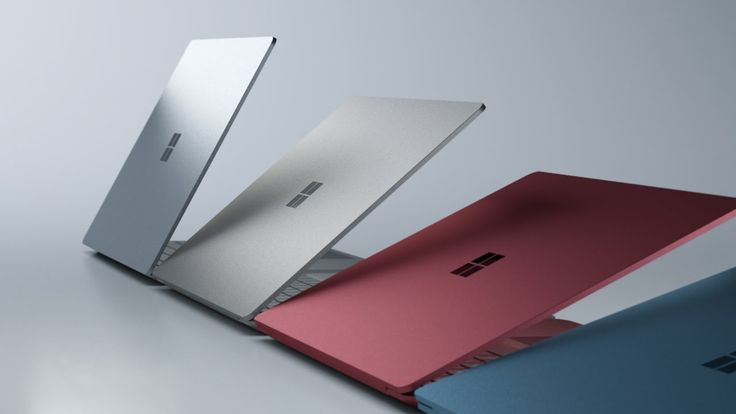
The Microsoft Surface Laptop 13.8 is a premium ultralight laptop that impresses with its blend of cutting-edge hardware, robust performance, and exceptional display technology, making it a top contender in the 13-14 inch laptop category.
This article explores the crucial technical aspects of the Microsoft Surface Laptop 13.8, including its hardware specifications, display features, connectivity, security, and productivity enhancements, providing a thorough understanding of what this laptop offers to power users and professionals alike.
Microsoft Surface Laptop 13.8: Hardware and Performance Overview
At the core of the Microsoft Surface Laptop 13.8 lies the Intel Core Ultra 7 processor, which provides balanced power for multitasking and demanding workloads.
This processor is complemented by the Intel AI Boost with 48 TOPS NPU, enabling accelerated artificial intelligence capabilities directly on the device, optimizing productivity tools and enhancing overall responsiveness.
The laptop comes equipped with 16GB of LPDDR5X RAM, which ensures fast system performance and smooth handling of memory-intensive applications.
Storage is facilitated by a removable Gen 4 SSD with a capacity of 256GB, delivering rapid boot times, swift data access, and expandability options suitable for professional users who require flexibility.
Graphics performance is driven by an integrated Intel Arc GPU, shared system memory, and a focus on power efficiency without sacrificing capability for everyday and creative workloads.
Microsoft Surface Laptop 13.8 Key Hardware Specs Table
| Component | Specification | Details |
| Processor | Intel Core Ultra 7 | With Intel AI Boost 48 TOPS |
| RAM | 16GB LPDDR5X | Dual-channel |
| Storage | 256GB Removable Gen 4 SSD | PCIe Gen 4.0, NVMe |
| Graphics | Intel Arc Integrated GPU | Shared memory |
| Battery Capacity | 54 Wh Nominal | Up to 20h video playback |
| Weight | 1.39 kg (3.06 lbs) | Anodized aluminum casing |
| Display | 13.8 inch PixelSense Flow OLED | 2304×1536, 120 Hz refresh |
This powerful configuration positions the Microsoft Surface Laptop 13.8 as a versatile machine capable of handling business applications, content creation, and general computing needs with a premium user experience.
Microsoft Surface Laptop 13.8: Display and Multimedia Capabilities
The Microsoft Surface Laptop 13.8’s standout feature is its PixelSense Flow OLED display, which measures 13.8 inches diagonally with a resolution of 2304 x 1536 pixels.
This display boasts a 3:2 aspect ratio, making it ideal for productivity tasks such as document editing and browsing. The 120Hz dynamic refresh rate ensures smooth scrolling and fluid motion, enhancing both work and entertainment experiences.
Key display enhancements include Corning Gorilla Glass 5 protection, Dolby Vision IQ support for vivid HDR content, anti-reflective coating, and individualized color calibration per unit, which guarantees consistent and accurate colors for professional-grade visual work.
Audio and video capabilities are also premium: the laptop features 1080p Full HD front-facing Surface Studio Camera with AI-powered capabilities such as automatic framing, eye contact, and portrait lighting, alongside Omnisonic speakers with Dolby Atmos support and dual Studio microphones with voice focus.
This combination makes the Microsoft Surface Laptop 13.8 an excellent choice for video conferencing and media consumption.
Microsoft Surface Laptop 13.8: Connectivity, Security, and Productivity
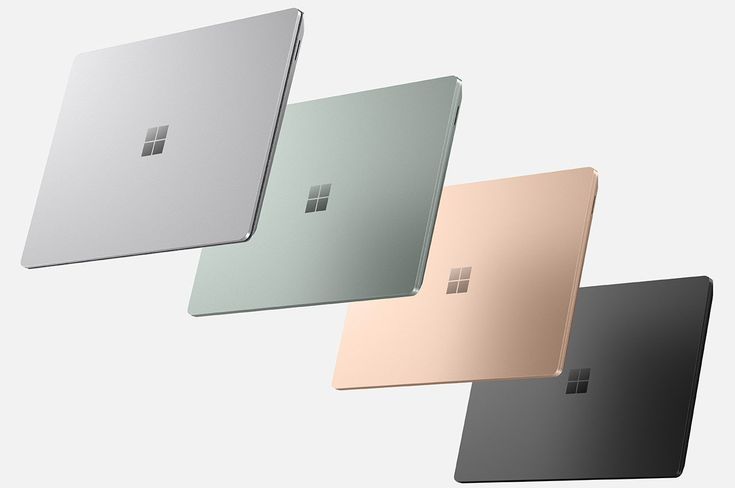
Connectivity options on the Microsoft Surface Laptop 13.8 are expansive and modern, ensuring high-speed data transfer and versatile peripheral support.
It includes two USB Type-C (USB 4) ports supporting fast charging (minimum 60W), data transfer up to 40 Gbps, and DisplayPort 2.1 capable of powering dual 4K monitors.
There is also a USB-A 3.1 port, a 3.5mm headphone jack, Surface Connect port, and support for both NanoSIM and eSIM cellular technologies featuring 5G connectivity.
On the security front, the device integrates Microsoft Pluton TPM 2.0 technology, Windows Hello facial authentication, and a smart card reader, combining hardware and software defenses to protect user data and ensure secure enterprise readiness.
Microsoft enhances productivity with Windows 11 Pro and preloaded Microsoft 365 Business Standard apps, augmented by AI-powered Copilot integration that aids workflow automation and advanced multitasking.
Advantages of Microsoft Surface Laptop 13.8 Connectivity and Security
- High data transfer speeds with USB4 and DisplayPort 2.1 support
- Multi-monitor productivity setup with dual 4K external displays
- Enterprise-grade security with Microsoft Pluton TPM and biometric authentication
- 5G cellular connectivity enabling on-the-go internet access
- AI-driven productivity tools integrated into Windows 11 Pro
Microsoft Surface Laptop 13.8: Practical Usability and User Experience
The keyboard on the Microsoft Surface Laptop 13.8 is designed for accuracy and comfort, featuring a backlit Surface Pro Keyboard with progressively moving mechanical keys and precision haptic touchpad.
This combination facilitates precision typing and navigation, vital for long work sessions.
Users benefit from the lightweight design at just 1.39 kg, making it highly portable. Its anodized aluminum casing ensures durability while maintaining a premium aesthetic.
The laptop’s battery life is impressive, providing up to 20 hours of local video playback and approximately 12 hours of active web usage, ideal for all-day mobile productivity.
A senior architect from a leading tech firm remarked, “Microsoft has crafted the Surface Laptop 13.8 as a fusion of power and elegance, offering both the performance needed by professionals and the design that inspires confidence in any business environment.”
Steps to Optimize Performance on Microsoft Surface Laptop 13.8
- Keep firmware and Windows updates current to benefit from performance improvements.
- Utilize Microsoft 365 Business Standard apps with AI Copilot for efficient task handling.
- Manage power settings to balance battery life and workload responsiveness.
- Connect external displays via USB-C for an enhanced multi-monitor setup.
- Employ Windows Hello facial recognition to secure and speed up login.
Conclusion
In summary, the Microsoft Surface Laptop 13.8 is a highly capable and versatile device that excels in performance, display quality, connectivity, and security.
Its blend of advanced hardware, premium OLED display technology, and integration of AI tools makes it a compelling choice for professionals seeking a powerful yet elegant laptop.
The Microsoft Surface Laptop 13.8 balances portability with functionality to meet the demands of modern business and creative workflows.
Choosing the Microsoft Surface Laptop 13.8 means investing in a device that is not only future-ready but also meticulously designed to elevate productivity and user experience.
This laptop stands as a testament to Microsoft’s commitment to innovation and quality in premium portable computing.

Leave a Reply